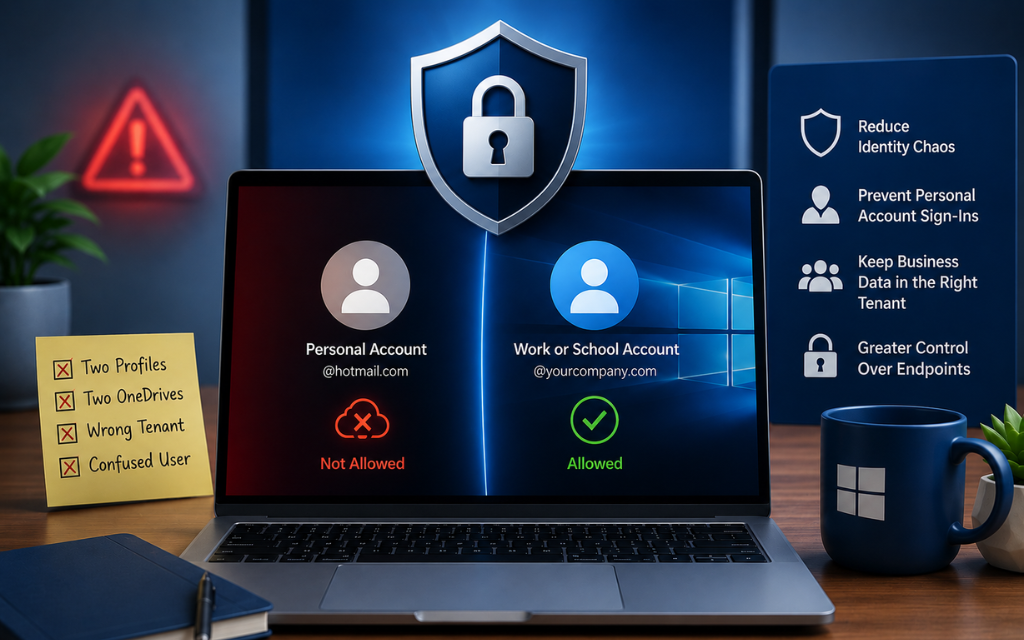
Block Personal Microsoft Accounts
Learn how to block personal Microsoft accounts on Windows business devices to reduce identity sprawl, prevent account confusion, and maintain greater...

One of the most overlooked attack surfaces on a Windows machine?
Bluetooth services running in the background.
Most people don’t think twice about Bluetooth.
It’s just there… usually enabled… rarely questioned.
But here’s the reality:
Bluetooth services have had recent high-severity vulnerabilities, including cases that allowed:
Privilege escalation to SYSTEM
Memory corruption leading to full compromise
Abuse from low-privileged access
That’s not “just for headphones.”
It’s part of your attack surface.
And if you’re not actively using it, you’re accepting risk for no reason.
And this isn’t theoretical.
Multiple high-severity vulnerabilities have been identified in the Windows Bluetooth stack:
https://windowsforum.com/threads/windows-bluetooth-uaf-cve-2025-59289-patch-and-mitigation-guide.384790/
On top of that, older Bluetooth implementations (especially pre-2.1) have weak or nonexistent encryption, making them a poor fit for high-security environments.
If Bluetooth isn’t required, it shouldn’t be enabled.
Here’s one core setting to start reducing that risk:
- Open Registry Editor as admin
- Go to:
HKEY_LOCAL_MACHINE\SYSTEM\CurrentControlSet\Services\BTAGService
- Either create or open/edit a DWORD called "Start" and set it to 4
What this does:
Disables the Bluetooth Audio Gateway Service (handsfree/audio functionality).
What this does NOT do:
It does not remove Bluetooth entirely — it reduces exposed functionality.
This is especially useful for:
- Business workstations
- Kiosks / POS Devices
- Lab environments
- Systems with no approved Bluetooth use
Less mystery services. Less surprise behavior. More “yep, I meant to do that.”
If you still have devices that are pre 2.1 that you use for business, use this post to put in a company requestion for a new device. 😜
(if you want a free guide of other hardening tips like this or a better/automated method of hardening configuration settings than Intune alone, email me at hardeningtips@senteon.co 😉 )
Learn how to block personal Microsoft accounts on Windows business devices to reduce identity sprawl, prevent account confusion, and maintain greater...
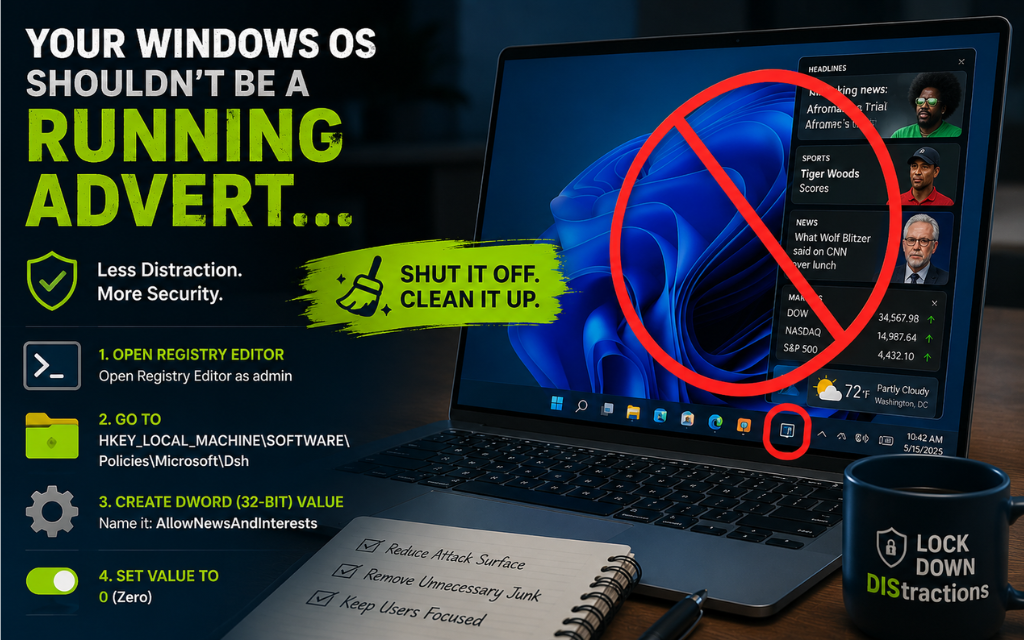
Learn how to disable Windows News and Interests and Widgets to reduce distractions, remove unnecessary features, and maintain greater control over...
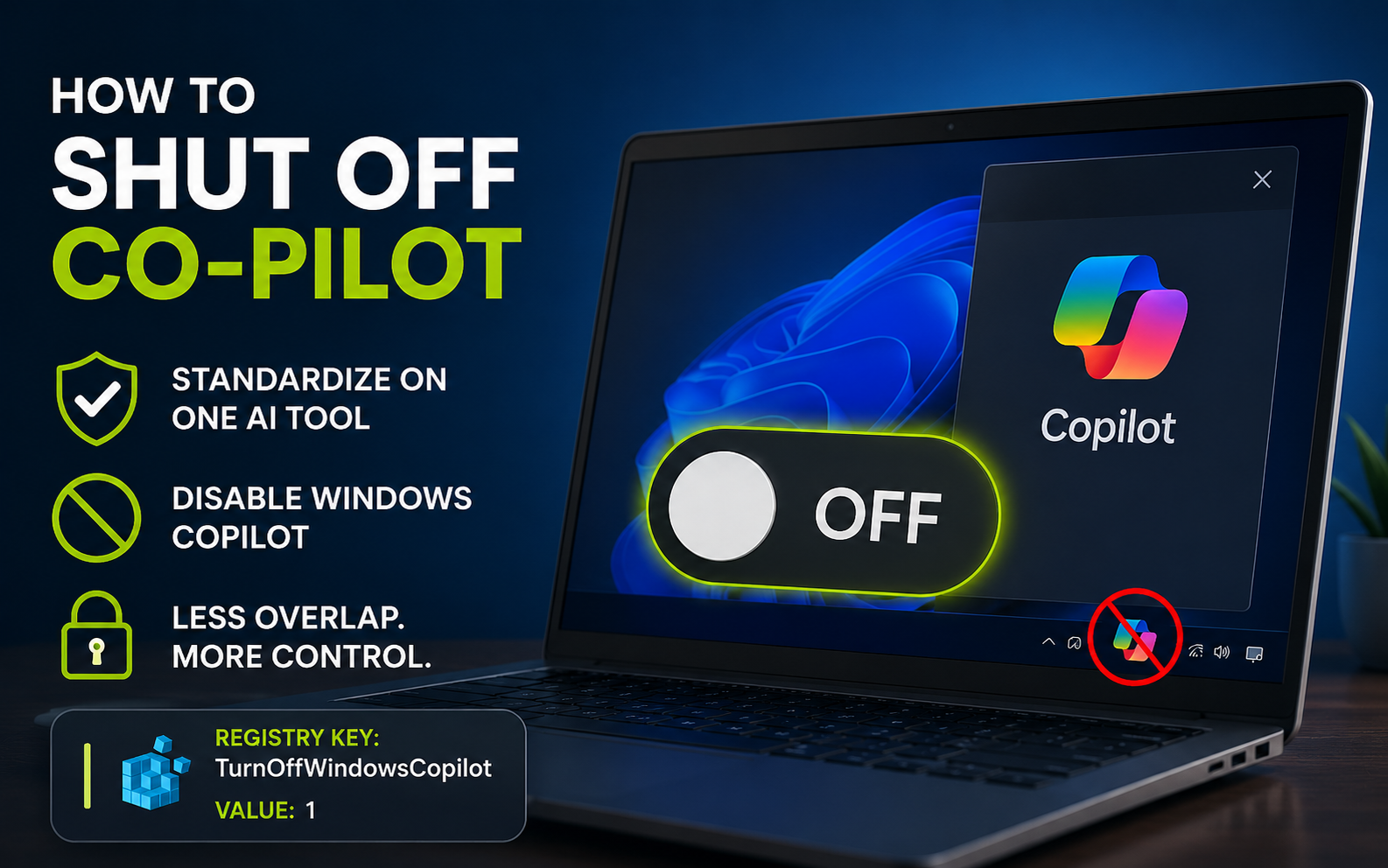
Learn how to disable Windows Copilot to standardize approved AI tools, reduce unmanaged AI usage, and maintain greater control across business...